
Your house. Your data.
Your butler, times ten.
Yorik is a self-hosted, voice-aware OS for your family or small business. Calendar, photos, documents, email, WhatsApp, German e-invoicing — all in one app, on your PC, no cloud.
$ git clone https://github.com/winidi/yorik-ai && cd yorik-ai$ bash start.shWhat's in the box
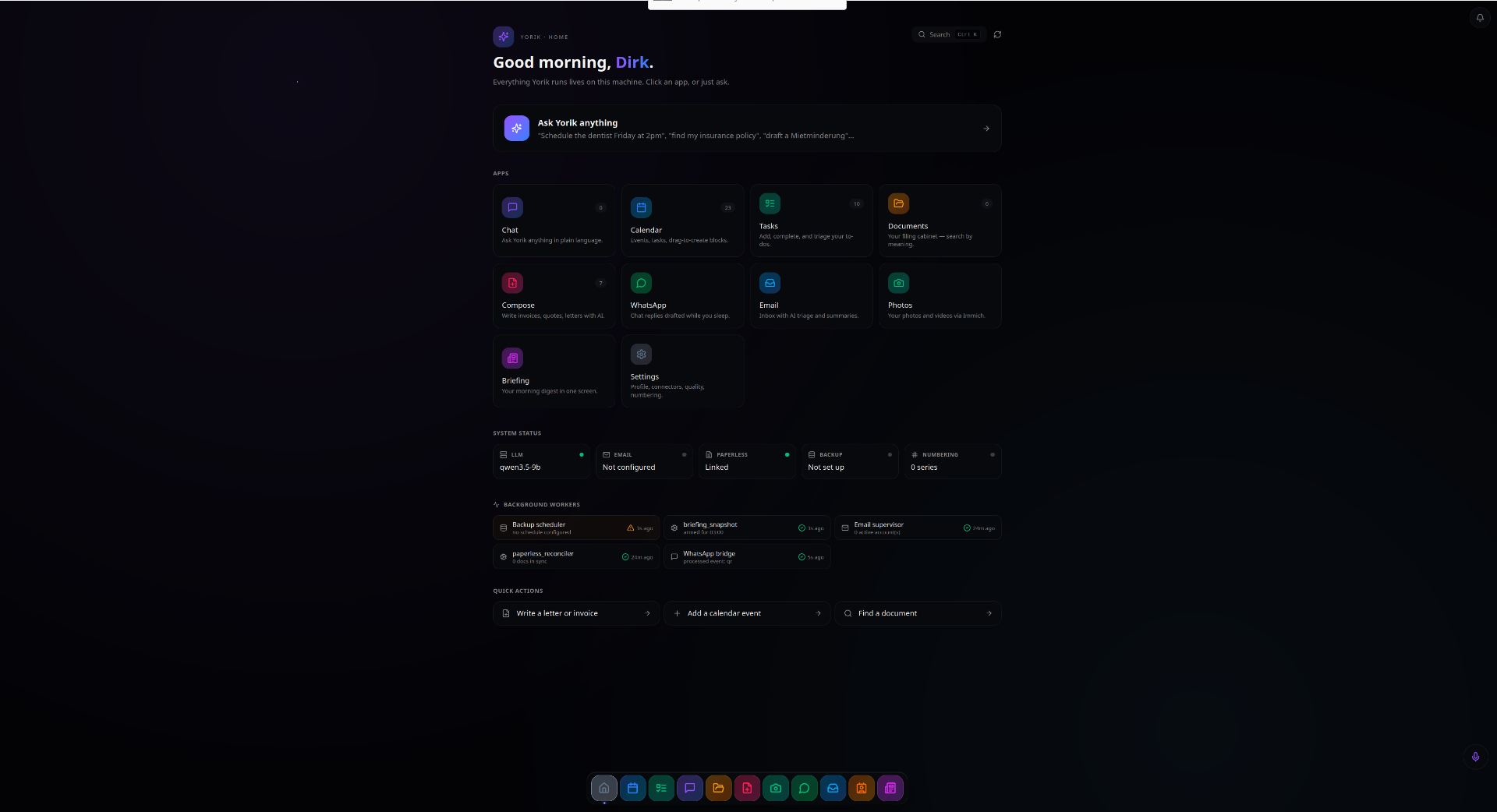
One React shell. One local LLM agent. 50+ deterministic Python skills wrapping the open-source tools you already trust.
Calendar
Categories, travel time, drag-to-schedule, voice add.
Tasks
Natural-language capture, recurrence, subtasks.
IMAP/SMTP, AI reply drafts, RFC 8058 unsubscribe.
Documents
Paperless + semantic search. Chat about your docs.
Photos
Immich timeline, CLIP search, face recognition.
Your number via Baileys bridge. AI briefings.
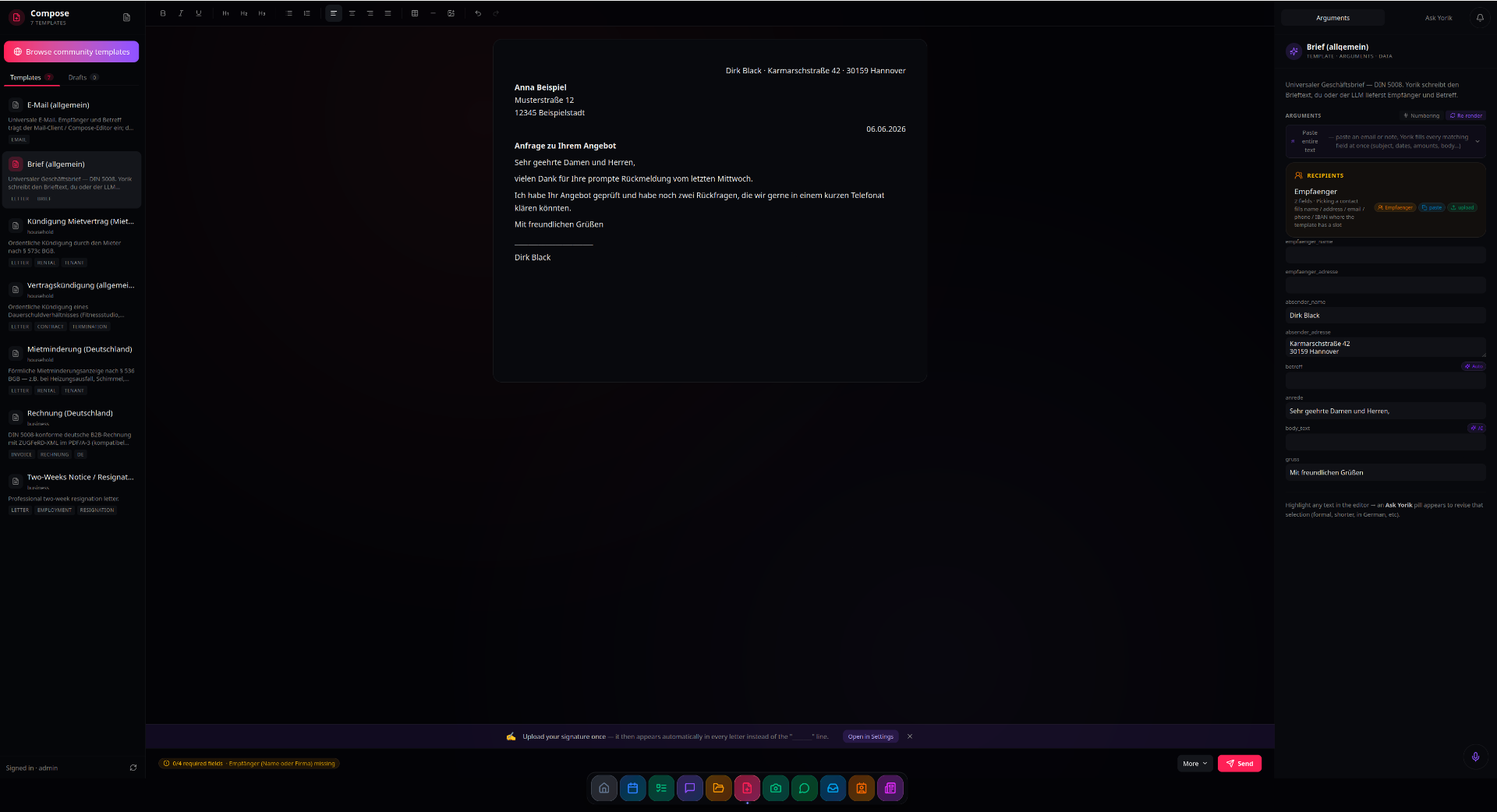
Compose
TipTap editor, AI templates, PDF render.
German e-invoicing
XRechnung / ZUGFeRD with GoBD audit trail.
Voice
Whisper STT + Supertonic-3 TTS + speaker ID.
Contacts
Universal search, drill-down detail, vCard import.
Role-based
Admin / member / child / employee / viewer.
50+ skills
Calendar / email / contacts / photos verbs the LLM calls.
What's actually inside
FastAPI + uvicorn on :8000. React 19 + TipTap + Tailwind + shadcn for the shell. SQLite for everything personal (one file: data/family.db). A separate vector DB (sqlite-vec) for document semantic search. An in-tree agent loop wraps your LLM with a role-gated SQL runner, so kids can't query bills and employees can't see admin data. 50+ deterministic Python skills handle the verbs (add_event, find_contact, calculate_travel_time…) so the model doesn't have to be smart, just willing to call them. Docker Compose orchestrates the optional bundled Immich / Paperless / WhatsApp bridge — skip any of them if you already run your own.
Plug in any local LLM
Yorik is a client. Point it at Ollama, LM Studio, llama.cpp, vLLM, llama-swap — anything OpenAI-compatible. Tested with Qwen 3.5 9B (the chat model in the screenshots). Smaller is fine for chat; the deterministic skills do the heavy lifting either way.
If you're a dev
You probably already run a Paperless instance, an Immich instance, maybe Home Assistant. Yorik gives you the connective tissue: one chat, one calendar, one inbox, one place for the household to actually USE the stack you've built. AGPL-3.0, no CLA, sign your commits with -s and you're good. Built with intentionally boring tech (FastAPI + SQLite + React) so you can read every line.
If you run a small business in Germany
Since 1.1.2025, every German business has to receive XRechnung / ZUGFeRD B2B invoices. By 2027-28, you have to issue them too. Lexoffice charges ~€30/month for that. Yorik does it for free, on your own PC, with a GoBD-compliant audit trail and automatic Rechnungsnummer assignment per business prefix. Your invoices live on your disk, encrypted at rest, with one-command backups.
- ✓Compliant XRechnung 3.x and ZUGFeRD 2.x XML embedded in PDF/A-3
- ✓Series-managed Rechnungsnummern (RE-2026-001, OFFER-2026-001)
- ✓Immutable GoBD audit log (every preview, every send)
- ✓Encrypted backup via age (one command)
- ✓Multi-tenant — separate business per user role
- ⚠Still alpha — verify your first few invoices manually
Interested? Let's talk.
Yorik is alpha. If you'd consider running it for your business, drop me an email — I'd love to hear what you need and I'll let you know when the first stable XRechnung release is ready.
Email DirkIf your household is drowning in apps
One place for the shopping list, the doctor's appointments, the kids' school documents, the holiday photos, the WhatsApp group with your sister. The kid's tablet sees the family calendar but not the bills. Voice works — ask "what's on my calendar tomorrow" from across the kitchen. Your wedding album doesn't sit on a server in Oregon. Your insurance PDFs aren't held hostage by a subscription you forgot you had.
Install in one command
$ git clone https://github.com/winidi/yorik-ai && cd yorik-ai$ bash start.shFresh Ubuntu 22.04+ / Debian 12+ / Fedora. Minimum: 16 GB RAM, 100 GB disk, modern x86-64 CPU. Recommended: 32 GB RAM, NVIDIA GPU with 12+ GB VRAM, NVMe SSD. For the bundled Immich/Paperless: another 50 GB depending on your library. macOS works (CPU-only Immich ML). First run installs Docker if missing, builds the Python venv, downloads voice models, and brings up the optional Docker stack. Allow ~5-10 minutes. Then open http://localhost:8000.
What works, what's rough
- ✓Voice-controlled chat with role-gated SQL
- ✓Calendar / tasks / bills / contacts with RBAC
- ✓Documents via Paperless (full-text + semantic)
- ✓Photos via Immich (timeline, CLIP search, faces)
- ✓Email IMAP/SMTP with AI briefings + reply drafts
- ✓WhatsApp (Baileys, pair your phone once)
- ✓Compose: TipTap editor + AI templates + PDF render
- ✓German XRechnung invoicing with GoBD audit
- ✓Voice: Whisper + Supertonic-3 + SpeechBrain
- ✓Multi-user with cookie sessions
- ✓Encrypted backups (age)
- ⚠Minimum 16 GB RAM or 8 GB VRAM required
- ⚠Voice latency depends on your LLM choice
- ⚠WhatsApp bridge occasionally needs manual re-pair
- ⚠XRechnung schema validation not 100% for all 2026 variants
- ⚠A few Settings corners still need polish
- ⚠Mobile responsive is a work in progress
- ⚠Being optimized to run on smaller hardware
Privacy is not a feature here.
It's the architecture.
Yorik has no backend on our side. We don't see your data. We don't have telemetry. We can't update anything you didn't pull yourself. Outbound calls happen ONLY to services you configure — your email provider, your LLM endpoint, your maps API if you wire one up. The whole thing is AGPL-3.0, so the next maintainer can't change that even if they want to.
Open source, no CLA, no rug-pulls
AGPL-3.0-or-later. No contributor license agreement — sign your commits with the DCO (git commit -s) and you're done. Commercial license available case-by-case (email the maintainer). Building a third-party app on top? The App SDK carries a linking exception so your app can ship under any license you like.